Contents
Set styles based on the styling of a single wiki page
Description
This plugin allows a user to apply CSS styles which are specified in a wiki page to the entire Trac project.
It does so by using the CSS information of the configured wiki page to emulate a global CSS file for the Trac project. A link HTML header [/projectdir]/wikicss.css is inserted into each page and when the browser tries to read it the contents of the specified wiki page is returned instead.
The action can be undone by removing or commenting out the line from the trac.ini file, without having to uninstall or deactivate the plugin.
This plugin was originally requested through #1714.
Example
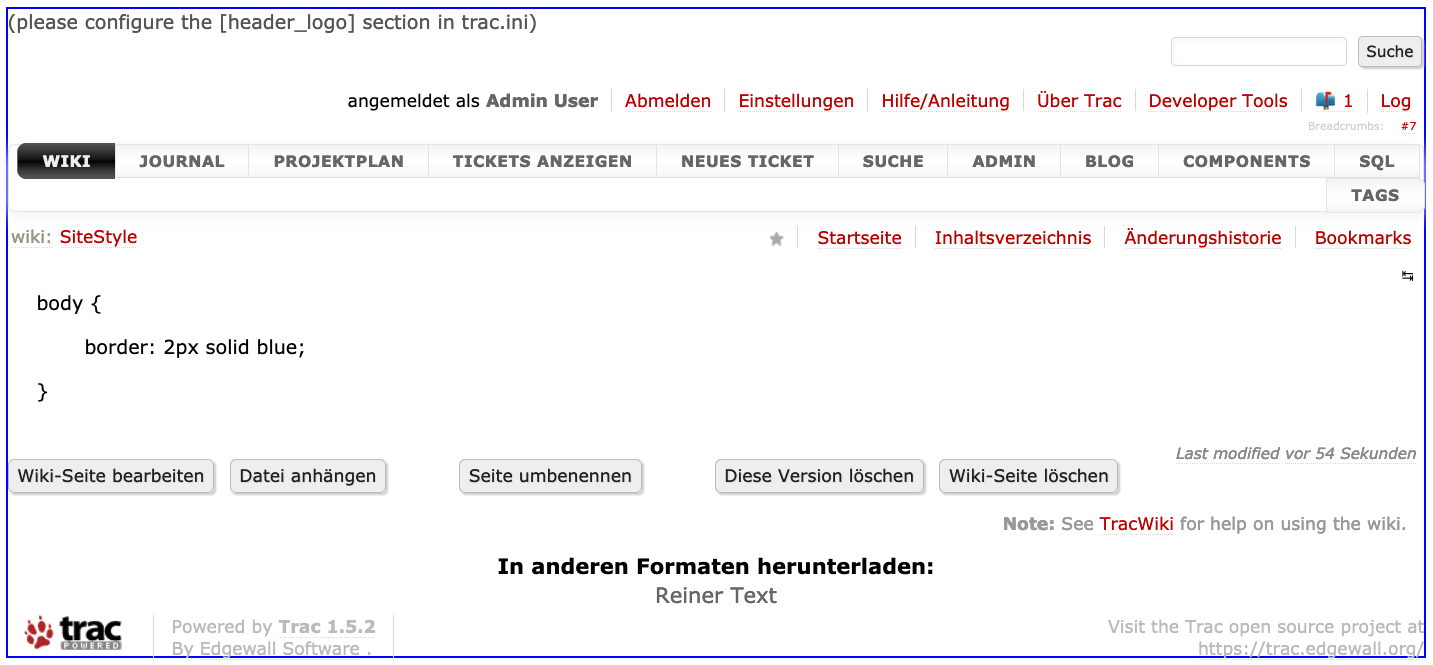
Add the following to the configured wiki page and every page will have a blue border:
body {
  border: 2px solid blue;
}
Example of custom styling

Bugs/Feature Requests
Existing bugs and feature requests for WikiCssPlugin are here.
If you have any issues, create a new ticket.
| defect |
5 / 6 |
|---|
Download
Download the zipped source from here.
The plugin is also available on PyPI.
Source
You can check out WikiCssPlugin from here using Subversion, or browse the source with Trac.
Installation
General instructions on installing Trac plugins can be found on the TracPlugins page.
Configuration
Put the following into your configuration file trac.ini:
[wikicss]
# configure wiki page to be used as CSS file as `[/projectdir]/wikicss.css`.
wikipage = SiteStyle
This uses the wiki:SiteStyle page for CSS styling.
Recent Changes
- 18240 by rjollos on 2021-04-19 15:00:39
-
WikiCssPlugin: Add release command
- 18235 by Cinc-th on 2021-04-19 06:31:02
-
WikiCssPlugin: make it compatible with Trac 1.6. Add documentation to the plugin.
- 17138 by rjollos on 2018-04-16 20:01:32
-
TracWikiCssPlugin 0.3: Conform to PEP8
(more)
Author/Contributors
Author: martin_s
Maintainer: Martin Scharrer
Contributors:
Attachments (1)
-
wikicss_example.png (123.9 KB) - added by 5 years ago.
Screenshot of page styling
Download all attachments as: .zip