Contents
Manage multiple user projects with one Trac instance
Description
This plugin lets you easily manage multiple user projects with one Trac instance or, respectively, one Trac database (.db file).
This is not a meta project in front of several other Trac projects. It implements the idea of wiki:TracMultipleProjects/SingleEnvironment.
Key features:
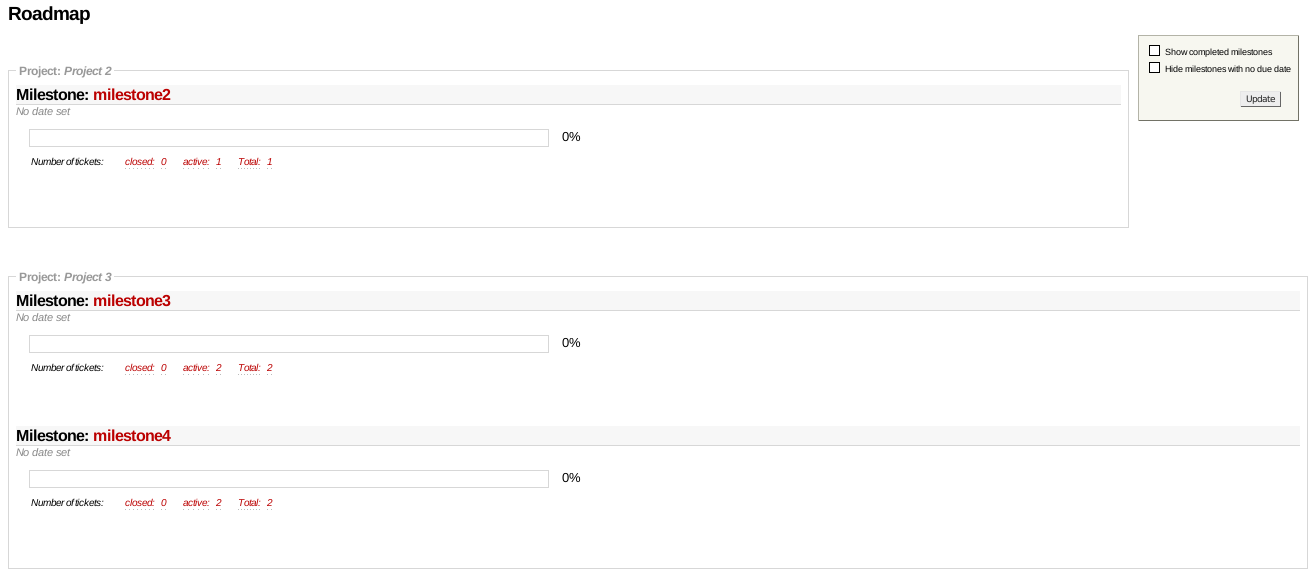
- Milestones and versions are assigned to their projects, and both are displayed on the roadmap.
- On the roadmap page and timeline page it is possible to apply filters to show only projects that meet certain criteria.
- Components can be assigned to all or only certain projects.
- 'New Ticket' will just offer the associated milestones, versions and components of the chosen project. This requires a new custom-ticket field 'project'.
- Restrict access to certain milestones, versions and tickets by defining members or non-members of a project.
This plugin is already running stable in production environments.
Note: The Multiple Project feature in the sense of having a meta Trac project on top of several Trac projects is discussed in T:#11025 (formerly T:#130) and the unscheduled milestone Trac topic-multiproject.
Integration with other plugins
MultiProjectBacklogPlugin integrates with this plugin allowing you to maintain project specific backlogs in your agile process.
When ExtendedVersionPlugin is installed SimpleMultiProjectPlugin adds an additional Version column to the milestone table of the milestone admin page.
Plan
(falkb: I'm currently not active anymore because I'm quite sufficiently satisfied with what the plugin achieves. This project should be burried next and the future is to integrate its features to the official Trac - it's not actually hard if they support a ticket field "project". Good Bye, falkb)
Cinc-th: I'm the new maintainer of the plugin which is still under development. Trac will probably not support projects anytime soon so it's still worthwhile.
The tickets aiming for enhancements are here. Then there are some tickets which are still just an idea:
Technical implementation details
This plugin adds a new resource 'project' implemented by database table:
- smp_project: a list of all defined projects
Actually, most database tables of Trac core related to resources would need a new column 'project_id'. This way tickets, components, milestones, versions or even wikis could attach to certain projects. Since a plugin just adds stuff but cannot change the core structure, it implements the new dimension 'project' not by adding a new column to each resource table but rather by adding several mapping tables smp_[resource]_project, each one mapping a certain resource to projects: - smp_milestone_project: the association of milestones to projects
- smp_version_project: the association of versions to projects
- smp_component_project: the association of components to projects
Example
All actions are also possible with the trac-admin script. See trac-admin <your-trac-env> project help for the list of available commands.
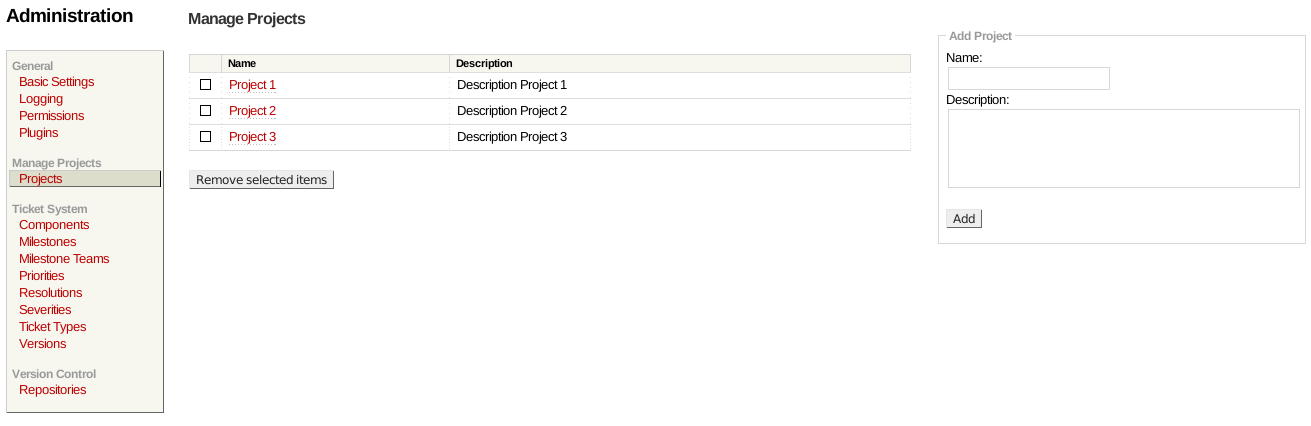
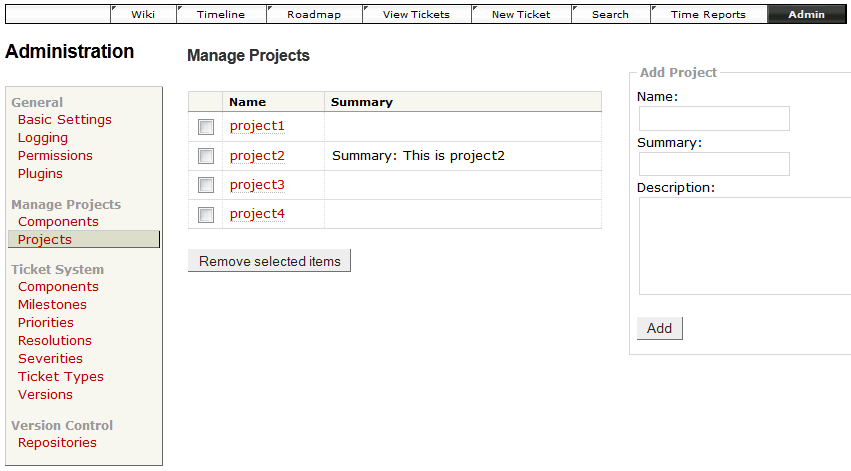
Admin Interface:

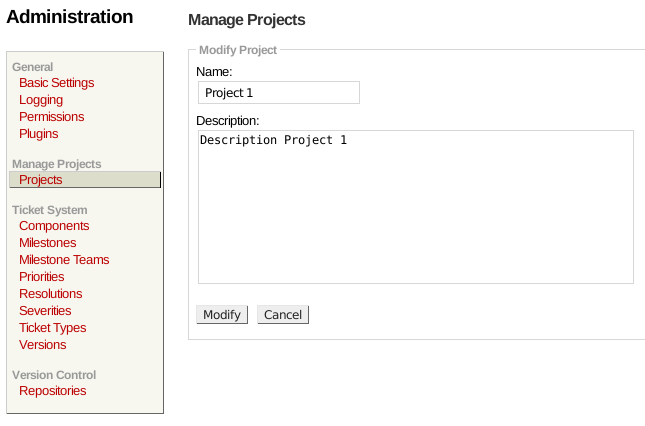
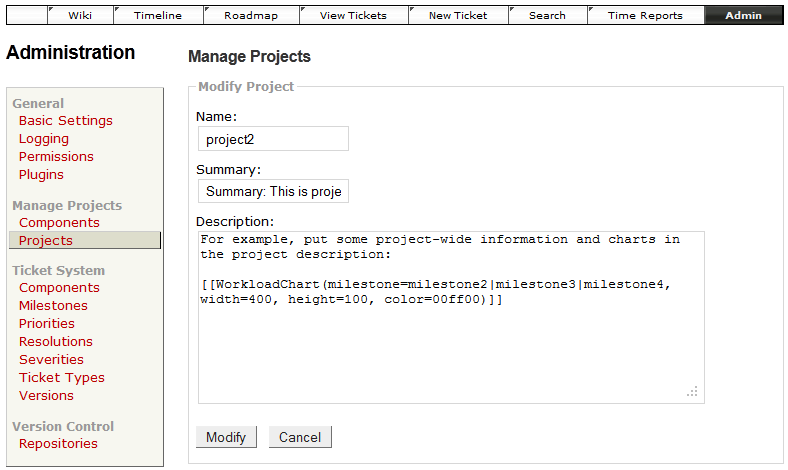
Add project summary and description. This is displayed on the roadmap page as follows:

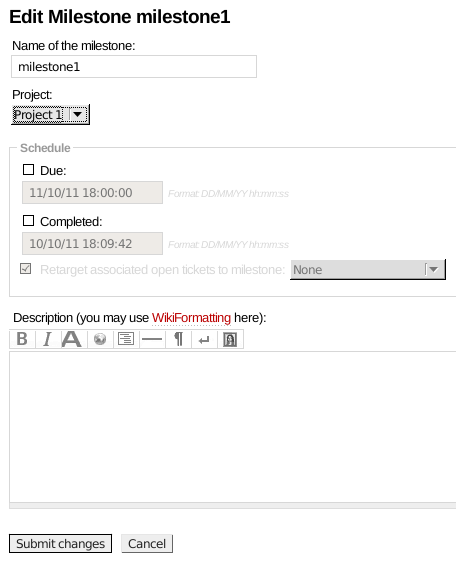
Associate a milestone with a project:
- Mapping milestones and versions to a project is supported:
- via main menu item "Admin" -> "Ticket System" -> "Milestones" / "Versions".
- Another way is doing it from the Roadmap page:
- From the Roadmap Page, find the desired milestone/version and click it.
- Scroll to bottom of page and "Edit" the page. Select the project from the given combobox.
- via trac-admin project script.
- Note: "New Ticket" with a chosen project only offers milestones and versions mapped to that certain project.

Group milestones and versions on the roadmap by project, show project summary and description in the header of the project box, and display only projects chosen in the filter box:

Display only tickets in the timeline of projects chosen in the filter box (adapted from TimelineComponentFilterPlugin):

You also can include the Project Name in your Ticket Queries by adding a join to the ticket_custom table:
SELECT p.value AS __color__,
   id AS ticket, summary,
   tc.value AS 'Project-Name',    -- display the Project Name in the Ticket Overview
   version, milestone, t.type AS type,
   owner, status,
   time AS created,
   changetime AS _changetime, description AS _description,
   reporter AS _reporter
FROM ticket t
   LEFT JOIN enum p ON p.name = t.priority AND p.type = 'priority'
   LEFT JOIN ticket_custom tc ON t.id = tc.ticket AND tc.name = 'project'   -- join to ticket_custom and only select the Project-Name
WHERE status <> 'closed'
ORDER BY CAST(p.value AS integer), milestone, t.type, time
Bugs/Feature Requests
Existing bugs and feature requests for SimpleMultiProjectPlugin are here.
If you have any issues, create a new ticket.
| defect |
86 / 95 |
||
|---|---|---|---|
| enhancement |
47 / 62 |
||
| task |
10 / 10 |
Download
Download the zipped source from here.
The plugin is also available on PyPI.
Source
You can check out SimpleMultiProjectPlugin from here using Subversion, or browse the source with Trac.
Installation
Note: The plugin has switched from the Genshi templating engine to Jinja2 for Trac 1.4+.
- Add a custom ticket field 'project' in your
trac.inifile to give tickets the information to which project they belong. Milestones selection depends on that as well:[ticket-custom] project = select project.label = Project project.value =
- Generate the plugin .egg file from sources:
python setup.py bdist_egg
- Copy the plugin to the plugins directory of your Trac installation:
cp dist/SimpleMultiProject-0.0.1-py2.6.egg /instance_trac/plugins/
- Restart Apache: after installation of this plugin Trac needs a database upgrade:
trac-admin /instance_trac/ upgrade
- Give permissions to certain users. Available permissions are:
PROJECT_SETTINGS_VIEW- you can see the list of projects with their description and their component mapping on the Admin panelPROJECT_ADMIN- full access, you can also create and delete projects, and map to milestones, versions and components
- Add the new policy SmpPermissionPolicy to the front of your permission policy provider list to enable project access rights for user.
[trac]
permission_policies = SmpPermissionPolicy, ... any other ...
- Set project restrictions if necessary. See the following section Project Restrictions for info.
Project restrictions
Current trunk and releases 0.7.2+
A new permission system is implemented by a new permission policy SmpPermissionPolicy and additional request filtering. The latter is necessary because TracFineGrainedPermissions are limited to some resources, notably excluding versions and components.
For permission checking and proper filtering the permission policy plugin must be activated and configured in trac.ini:
[trac]
permission_policies = SmpPermissionPolicy, ... any other ...
Make sure the new policy is the first in the list of available policies.
You may mark a project as restricted on the project admin page which has the following effects.
- Tickets linked with a restricted project can't be accessed by users without permissions.
This works for individual ticket pages, ticket queries, the timeline page and everywhere else a ticket is shown.
- Milestones belonging to restricted projects can't be accessed without permissions.
This affects ticket queries, the roadmap and timeline pages and individual ticket pages.
- Components and versions of restricted projects are not available for queries or when creating/modifying ticket pages.
Projects without restrictions and their linked resources can be accessed by any user. Normal Trac permission settings apply.
Project permissions are assigned using the Trac permission admin panel. Each project has a unique ID which is not changing over the lifetime of a project, even if you change the project name.
To give a user access to a project you have to give the permission PROJECT_<id>_MEMBER where <id> is the unique project id. For finer control over individual resources the normal Trac permissions are available.
This means the project permission is a coarse filter to only prevent global project resources access. You can't have individual fine grained resource access for different projects because normal Trac permissions are defined for all projects. Use TracFineGrainedPermissions if you need such control.
Note that filtering by project is always done.
Legacy versions < 0.7.2
With plugin versions 0.4-0.7.1 we support project-wise restriction of resources to a subset of users (#11367). Switch on the plugin component ProjectTicketsPolicy to activate it, and add the following to your trac.ini file:
[trac]
permission_policies = ProjectTicketsPolicy, ... any other ...
Define a comma-separated list of users or groups in 'Admin' -> 'Manage Projects' -> 'Projects' -> '<project name>' -> 'Restrict to users' to limit the access to certain projects, such as milestones, versions and tickets. For example, set
john, mary, group1, authenticatedto restrict to this set of users!, bob, anonymous, group2to exclude from the project.
Configuration
The plugin comes with sane default values, but if you have specific requirements you may change some configuration options.
When ExtendedVersionPlugin is installed an additional column with version information is added to the milestone table on the admin page. You may remove this column just by disabling the plugin SmpAddExtendedVersionColumn. Use the plugin admin panel or add the following line to your configuration file:
[components]
simplemultiproject.admin_filter.SmpAddExtendedVersionColumn = disabled
There are some trac.ini options to control association of projects with milestones and components.
- Creation of milestones is only possible when a project is chosen. You may disable this behaviour by setting the following in
trac.ini:[simple-multi-project] milestone_without_project = True
- To ensure only a single project is associated with each milestone set the following in
trac.ini:[simple-multi-project] single_project_milestones = True
- Creation of versions is only possible when a project is chosen. You may disable this behaviour by setting the following in
trac.ini:[simple-multi-project] version_without_project = True
- To ensure only a single project is associated with each version set the following in
trac.ini:[simple-multi-project] single_project_versions = True
Recent Changes
- 18451 by rjollos on 2021-10-15 17:19:25
-
SimpleMultiProjectPlugin: Release 0.7.4
Refs #14055.
- 18105 by Cinc-th on 2021-03-28 09:25:59
-
SimpleMultiProjectPlugin: fixed Jinja2 errors.
- 18093 by Cinc-th on 2021-03-25 09:45:06
-
SimpleMultiProjectPlugin: fix for test case error with python 3.
(more)
Author/Contributors
Author: crossroad, falkb, thomasd, Cinc-th
Maintainer: Cinc-th
Contributors:
Attachments (8)
-
project_admin.png (43.1 KB) - added by 14 years ago.
Project admin Interfaz
-
edit_project.png (33.9 KB) - added by 14 years ago.
Edit Project
-
edit_milestone.png (26.3 KB) - added by 14 years ago.
Edit milestone
-
roadmap_projects.png (35.9 KB) - added by 14 years ago.
Roadmap Projects
-
roadmap_projects_filter.png (54.7 KB) - added by 13 years ago.
roadmap can display project summary+description; project filter displays milestones and versions of certain projects, only
-
admin_projects_modify.png (30.4 KB) - added by 13 years ago.
write project summary and description
-
admin_project.png (31.4 KB) - added by 13 years ago.
project admin interface
-
timeline_projects_filter.png (35.5 KB) - added by 13 years ago.
timeline filter demo
Download all attachments as: .zip