Contents
Convert content of wiki pages to S5 Slideshows
Notice: This plugin is unmaintained and available for adoption.
Description
This plugin converts Trac wiki pages into a DHTML enabled slideshow using S5. It is loosely based on the DocuWiki S5 plugin.
Click the Slideshow link at the bottom of any wiki page to view that page as an S5 SlideShow. Alternatively you can add the [[SlideShow]] macro to a page.
A top-level level 1 heading (= Heading =) and its following section will be converted into the title page of the slideshow, with following level 2 headings and their corresponding sections converted into subsequent slides.
Themes
The following themes are available:
- blue
- default
- dokuwiki
- flower
- i18n
- pixel
- yatil
Themes can be selected from the macro with: [[SlideShow(theme=<theme>)]].
Example
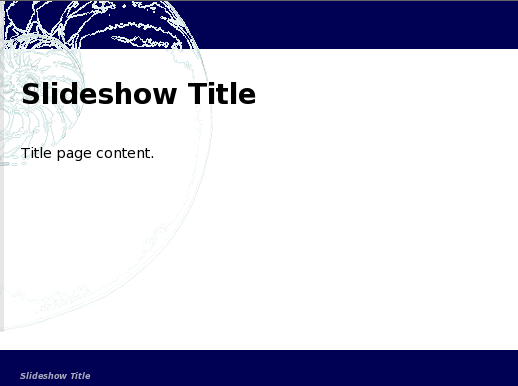
= Slideshow Title = Title page content.== Slide 1 Title == Slide 1 content.== Slide 2 Title == Slide 2 content.
Of which the first page will show as follows:

Bugs/Feature Requests
Existing bugs and feature requests for SlideShowPlugin are here.
If you have any issues, create a new ticket.
| defect |
6 / 7 |
||
|---|---|---|---|
| enhancement |
4 / 7 |
||
| task |
4 / 4 |
Download
Download the zipped source from here.
Source
You can check out SlideShowPlugin from here using Subversion, or browse the source with Trac.
Installation
- Install using easy_install:
[sudo] easy_install https://trac-hacks.org/svn/slideshowplugin/0.11
sudois optional in case you already have authorisation to modify your server. - Restart your web server; example command line for Apache on Ubuntu:
[sudo] /etc/init.d/apache2 restart
- Enable the plugin.
- by updating your trac.ini file as follows:
[components]
...
slideshow.slideshow.slideshowrenderer = enabled
...
- or by accessing your Admin panel at
..admin/general/plugins.
- by updating your trac.ini file as follows:
- Configure your environment. See section below.
For installation troubleshooting visit TracPlugins.
Configuration
There are a few options that can be specified in the [slideshow] section of your trac.ini file.
The Slideshow content conversion link at the bottom of each wiki page can be disabled with the following option:
show_content_conversion = false
The default theme can be specified with the following option:
default_theme = <themename>
Note that one of the themes is named default and if the default_theme option is unspecified, then default_theme = default is used.
Recent Changes
- 14745 by rjollos on 2015-06-25 17:55:41
-
0.3: Added 3-Clause BSD license, with permission of author. Fixes #12321.
- 11803 by rjollos on 2012-07-27 08:14:36
-
Refs #10189: Attachment TracLinks were not being rendered correctly.
Context.from_requestneeds aResourceobjects as its second argument.
- 11797 by rjollos on 2012-07-26 04:50:12
-
Refs #10183: More refactoring: variable renames and code reorganization. Fixed indentation of documentation on WikiMacros page.
(more)
Author/Contributors
Author: athomas
Maintainer: none (needsadoption)
Contributors: dgynn, JimCheetham
Attachments (1)
- title.png (25.9 KB) - added by 15 years ago.
Download all attachments as: .zip