VBA class module as MS-Office connector via XML-RPC
Description
This plugin alloows you to use MS-Excel and MS-Project for ticket tracking of tickets which are logged and maintained in Trac.
There are following samples:
- MS-Excel Ticket editor: a hot-linked connection between your Trac tickets and your custom spreadsheet.
- MS-Project connector: a hot-linked connection between your Trac tickets and your MS-Project file.
Bugs/Feature Requests
Existing bugs and feature requests for VisualBasicTracConnectorIntegration are here.
If you have any issues, create a new ticket.
| defect |
2 / 10 |
||
|---|---|---|---|
| enhancement |
2 / 5 |
||
| task |
1 / 1 |
Download
Download the zipped source from here.
Source
You can check out VisualBasicTracConnectorIntegration from here using Subversion, or browse the source with Trac.
Installation
General instructions on installing Trac plugins can be found on the TracPlugins page.
Example
MS-Excel Ticket editor
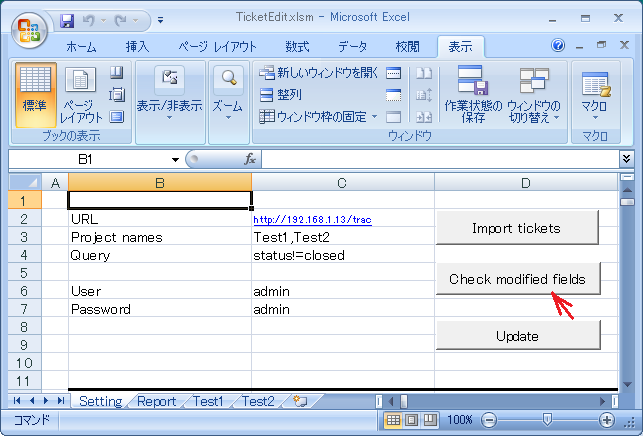
- Fill setting sheet

|
- Create sheets that are same name as project names
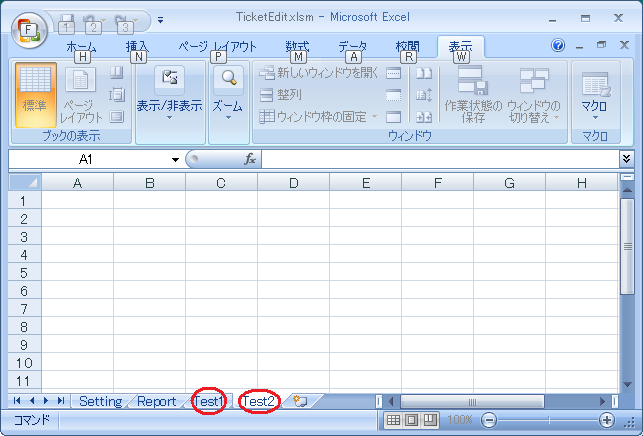
|
- Push "Import tickets" button
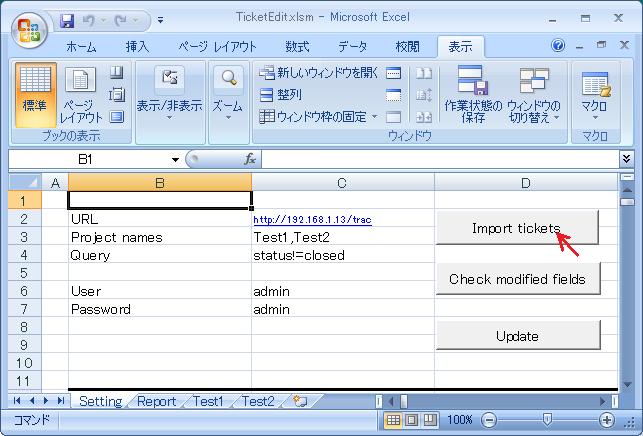
|
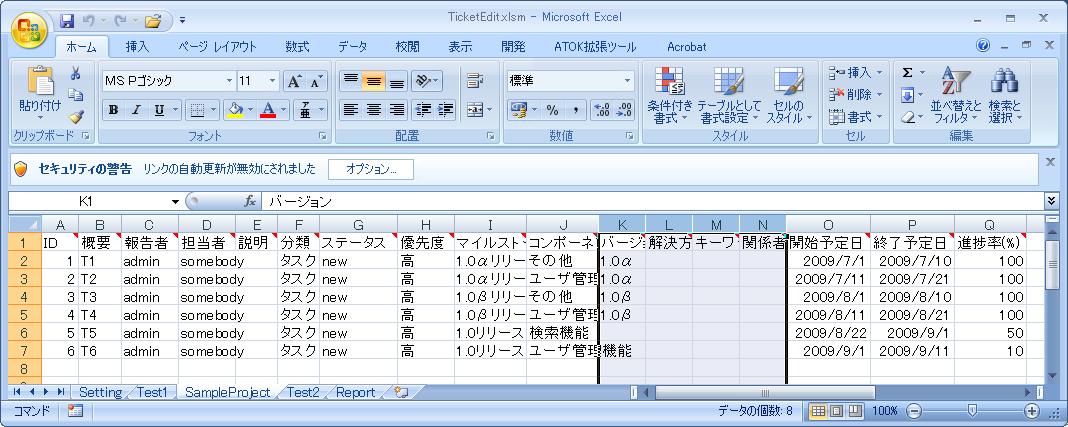
- Edit imported tickets' fields
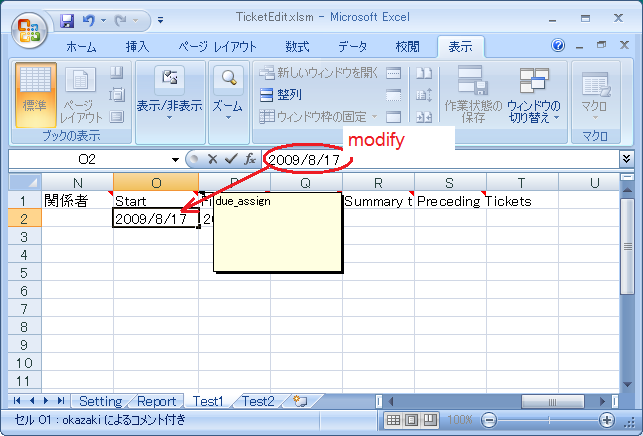
|
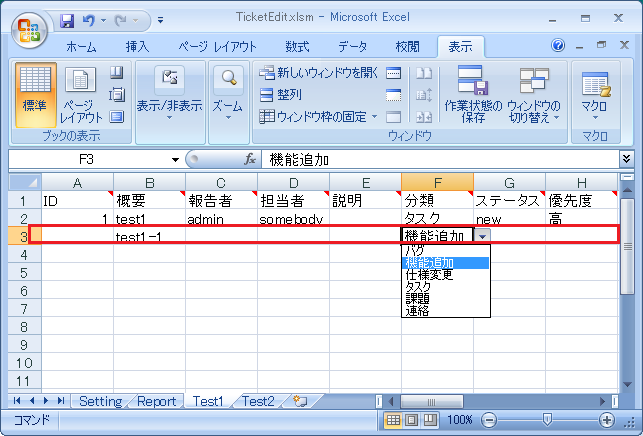
- Add new tickets
|
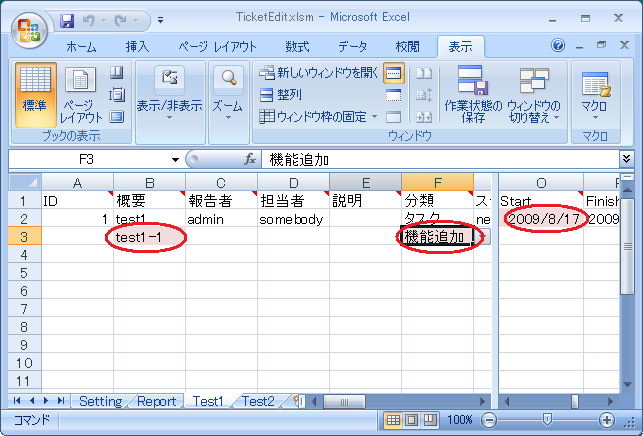
- Push "Check modified fields" button
- Confirm the edited fields' background color are changed.
|
- Push "Update" button
- According to the browser, modified tickets' fields are changed

|
MS-Project connector
- Add custom fields.
| type | name | MS-Project's field | |
| custom | due_assign | Start | required |
| custom | due_close | Finish | required |
| custom | complete | PercentComplete | required |
| custom | blocking | (dependency) | add blocking ticket |
| standard | summary | name | |
| standard | owner | resource | |
| standard | milestone | (dependency) | Add preceding task for the milestone |
| standard | version | (dependency) | Add preceding task for the mversion |
| custom | summary_ticket | (summary task) | Optional, for TracDependencyPlugin |
| custom | dependencies | (dependency) | Optional, for TracDependencyPlugin |
| custom | baseline_start | BaselineStart | Optional |
| custom | baseline_finish | BaselineFinish | Optional |
- Create tickets.
- Open TracProject.mpp

|
Note: You may have to lower the macro security level in MS-Project for the connector's Import button to show up:
- Choose Tools -> Options... to display the Options dialog.
- Select the Security tab
- Click the Macro Security button
- Choose Medium or Low security
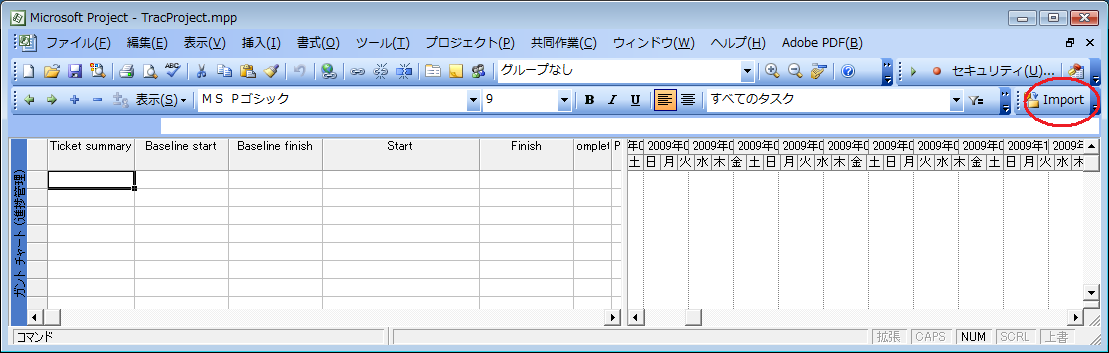
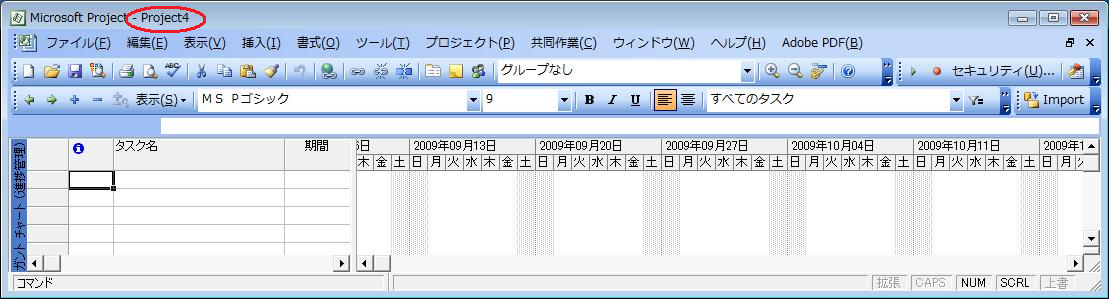
- Create blank mpp file.

|
- (Activate created mpp file.) It might be activated.
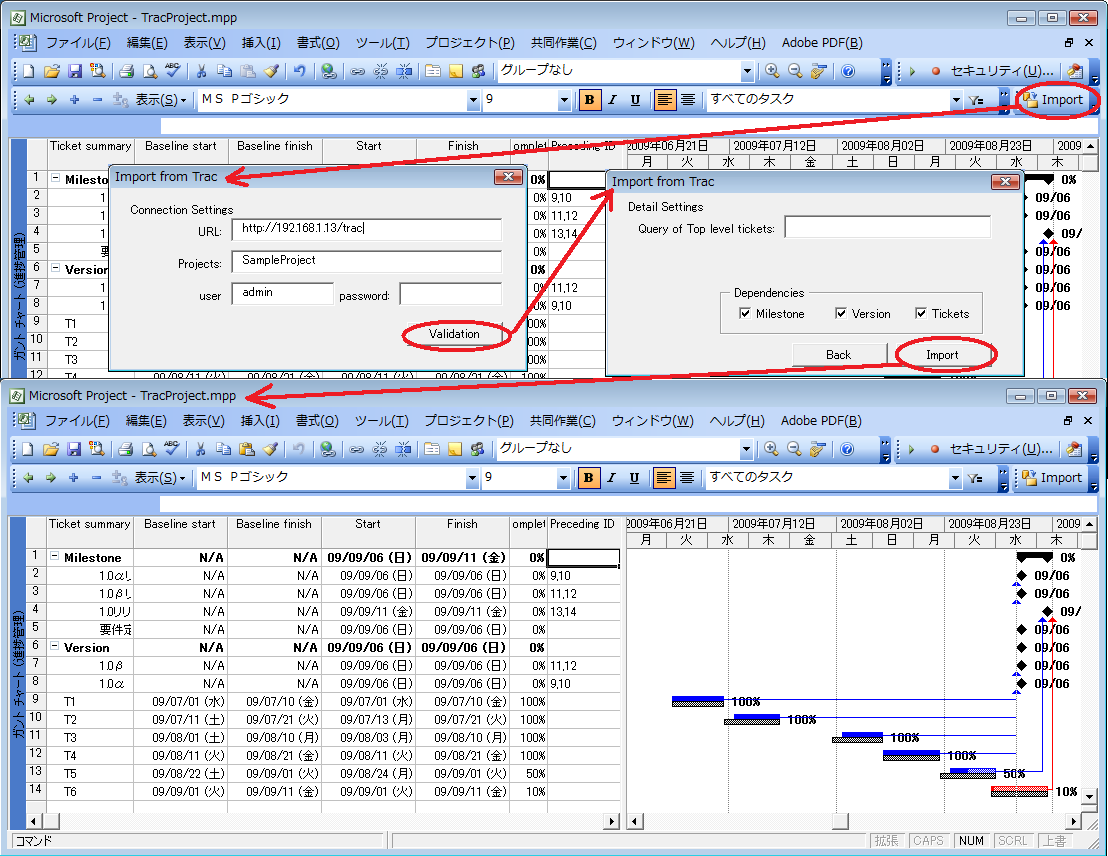
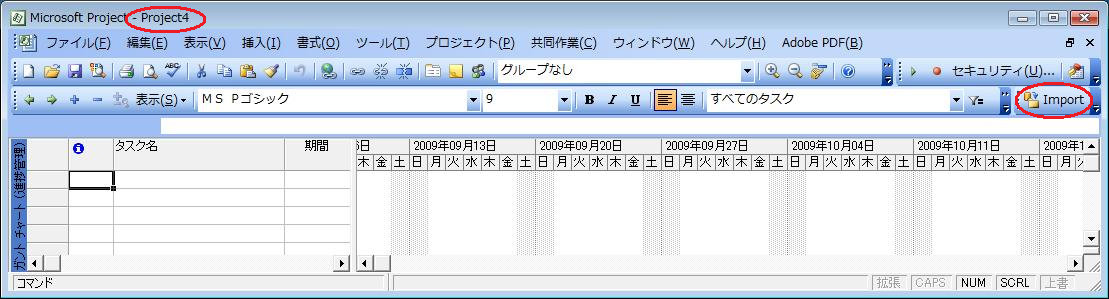
- Push "Import" button
|
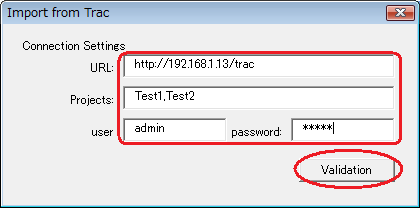
- input settings for your environment, then push "Validation" button
|
- If connection is valid, then enable "Import" button. Push this button

|

Recent Changes
Author/Contributors
Author: okazaki
Maintainer: Yuji OKAZAKI
Contributors:
Attachments (19)
- prj01.png (116.6 KB) - added by 16 years ago.
- prj00.png (74.7 KB) - added by 16 years ago.
- VBAExcel01.png (49.5 KB) - added by 16 years ago.
- VBAExcel02.png (46.6 KB) - added by 16 years ago.
- VBAExcel03.png (49.7 KB) - added by 16 years ago.
- VBAExcel04.png (50.2 KB) - added by 16 years ago.
- VBAExcel05.png (51.8 KB) - added by 16 years ago.
- VBAExcel06.png (49.7 KB) - added by 16 years ago.
- VBAExcel07.png (52.8 KB) - added by 16 years ago.
- VBAExcel08.png (52.8 KB) - added by 16 years ago.
- VBAExcel09.png (48.8 KB) - added by 16 years ago.
- VBAPrj01.png (44.7 KB) - added by 16 years ago.
- VBAPrj02.png (6.0 KB) - added by 16 years ago.
- VBAPrj03.png (6.0 KB) - added by 16 years ago.
- VBAPrj04.png (58.7 KB) - added by 16 years ago.
- VBAPrj001.png (249.0 KB) - added by 16 years ago.
- VBAPrj002.png (295.4 KB) - added by 16 years ago.
- VBAPrj003.png (224.1 KB) - added by 16 years ago.
- VBAPrj004.png (223.7 KB) - added by 16 years ago.
Download all attachments as: .zip