


Modify ↓
Opened 15 years ago
Closed 14 years ago
#5829 closed task (fixed)
Can't locate the foreign text that appears in MS Project
| Reported by: | terje | Owned by: | Yuji OKAZAKI |
|---|---|---|---|
| Priority: | normal | Component: | VisualBasicTracConnectorIntegration |
| Severity: | normal | Keywords: | |
| Cc: | Trac Release: | 0.11 |
Description
Thanks for releasing this excellent work. I'm new to MS Project, so this may be self-evident for you. I want to change the text to English (see attachment), but can't locate exactly where this is set?! A comment on the wiki page would be great. Thanks.
Attachments (3)
Change History (11)
Changed 15 years ago by
| Attachment: | foreign.jpg added |
|---|
comment:1 Changed 15 years ago by
| Owner: | changed from Yuji OKAZAKI to anonymous |
|---|---|
| Status: | new → assigned |
comment:2 Changed 15 years ago by
| Owner: | changed from anonymous to Yuji OKAZAKI |
|---|---|
| Status: | assigned → new |
comment:3 Changed 15 years ago by
| Status: | new → assigned |
|---|
comment:5 Changed 15 years ago by
This VBA macro has not access to menus, so I need your helps. I think the file "TracProject.mpp" has information of selected menus as Japanese strings. I update this VBA macro that is able to import tickets to blank mpp file. Please confirm new "TracProject.mpp".
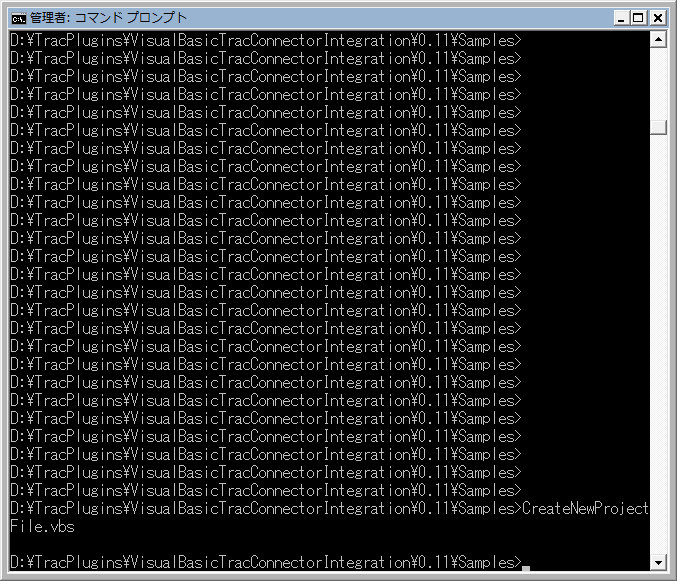
Changed 14 years ago by
| Attachment: | commandprompt.png added |
|---|
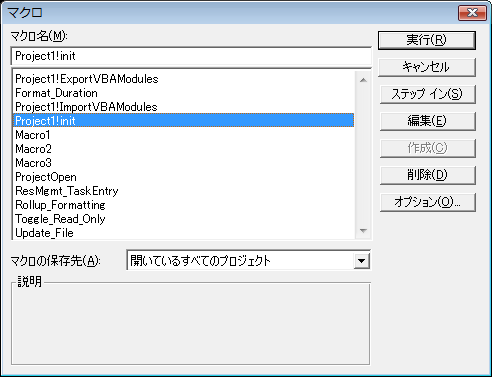
Changed 14 years ago by
comment:7 Changed 14 years ago by
Please try this process as follows..
- checkout from latest repository.
- open command prompt
- close all MS-project
- execute CreateNewProject VB script
- save opened a new ms-project file
- execute 'init' subrootine on MS-Project
comment:8 Changed 14 years ago by
| Resolution: | → fixed |
|---|---|
| Status: | assigned → closed |
Note: See
TracTickets for help on using
tickets.



Foreign characters appear; Where can they be changed?